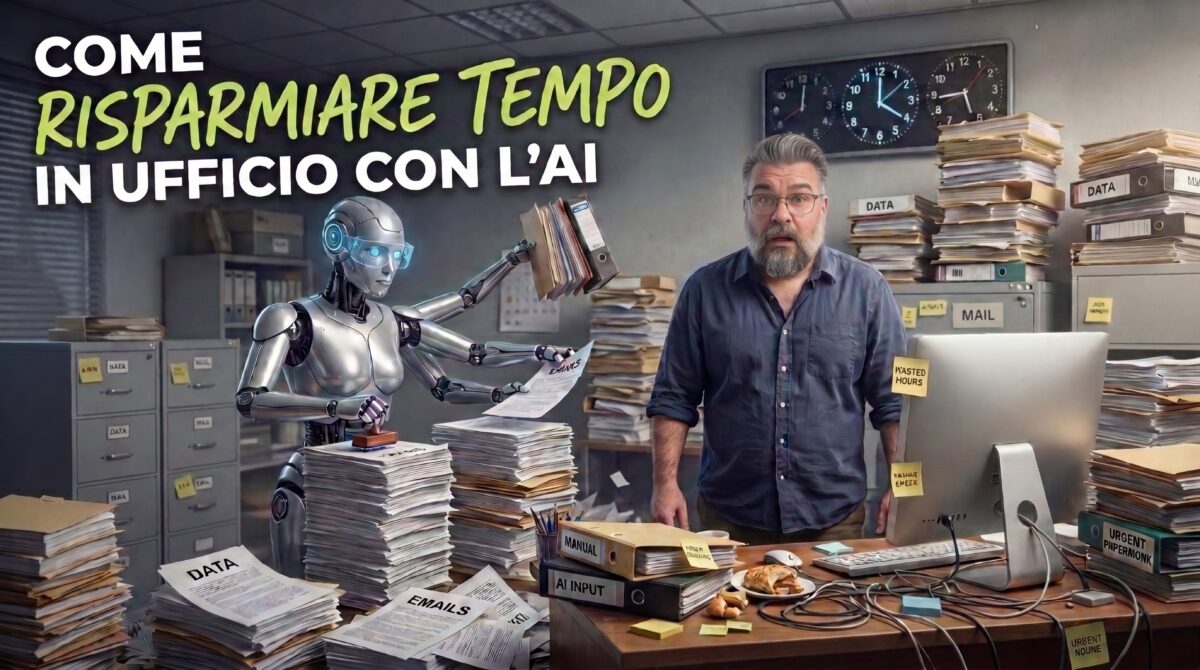
Or: How I Learned to Stop Retyping Meeting Notes and Love the Overconfident Intern
Let me paint you a picture.
It’s 4:52 PM on a Thursday. You have a 47-minute meeting recording that needs to become a summary. Three emails that need a tone somewhere between “friendly” and “I’m not angry, I’m just disappointed.” A spreadsheet where the same customer appears as “Acme,” “ACME Ltd.,” “acme limited,” and — my personal favorite — “Acme (the good one).” And a manager who just said the four most dangerous words in the office: “No rush, but today?”
Meanwhile, in another browser tab, an AI chatbot is sitting there, idle, ready to produce a first draft of all of it in roughly the time it takes your coffee to go from “too hot” to “lukewarm and sad.”
So why aren’t you using it? Or — and this is the more common crime — why are you using it badly: pasting the entire task in, copying the answer out, and hitting send without reading a single word, like someone signing a contract with their eyes closed?
This article is about doing it right. We’ll start with why AI should be your tool and never your substitute, then go through some small everyday jobs where it saves you real time, and finish with a couple of monstrous ones where, frankly, doing it without AI would be borderline irresponsible.
Grab a coffee. The hot one, while it lasts.
First, the Uncomfortable Part: AI Is Not Here to Do Your Homework
Remember school? Somebody in your class — not you, of course — copied an essay straight from the internet, changed three words, and handed it in. The teacher noticed because the essay contained vocabulary the student couldn’t spell. The student learned nothing, got caught, and became a cautionary tale told at every parent-teacher meeting for the next decade.
At the office, the stakes are higher and the teacher is replaced by something far less forgiving: consequences. Nobody hands you a red pen and a C-minus. They hand you a confused client, a report with the wrong numbers, and a calendar invite called “Quick sync” that is neither.
Here’s the core problem. AI tools are astonishingly good at producing text that sounds right. Fluent, confident, well-formatted, beautifully structured. They are also perfectly capable of being wrong in exactly the same fluent, confident, well-formatted way. That’s not a rare glitch — it’s how the technology works. It predicts plausible words; it doesn’t walk over to a filing cabinet to check the facts. (There have been lawyers who submitted court documents citing cases that never existed. The AI had invented them, complete with perfect formatting and a lovely tone. The judge was not charmed.)
So here’s the mental model I want you to keep for the rest of this article.
The Overconfident Intern Rule
Think of AI as the fastest intern you’ve ever hired. It has read most of the internet. It types at the speed of light. It never sleeps, never sighs, and never asks for a raise.
It has also never worked at your company. It doesn’t know your clients. It doesn’t know that Steve in accounting hates the word “synergy.” And it will tell you something completely made up with exactly the same calm smile as something completely true.
You would never forward an intern’s first draft to the CEO without reading it. So don’t do it with AI either. Three rules fall out of this:
- AI drafts, you decide. The thinking stays with you. The typing doesn’t have to.
- If you couldn’t do the task yourself — slowly, painfully, with some muttering — you can’t check the result. And if you can’t check it, you shouldn’t delegate it. A calculator is wonderful, but only for people who notice when it says 2 + 2 = 22 because they pressed a key twice.
- Your name is on it, so you own it. “The AI said so” is not a defense. It’s the corporate version of “my dog ate it,” except the dog is a trillion-parameter language model.
💡 Pro Tip: Before pasting anything into an AI tool, ask yourself: “Would I be comfortable seeing this text on a billboard?” If it contains client names, personal data, contracts, or anything under NDA, use only the tools your company has approved, or anonymize the data first. And if you work in Europe, there’s this small thing called GDPR, which has very strong feelings about the subject.
Good. Lecture over. Now let’s have some fun.
The Easy Wins: Small Jobs, Big Savings
These are the jobs that take you 10 to 40 minutes, bore you to the point of staring at the ceiling tiles, and that AI will finish in under a minute. Start here: the risk is low, the payoff is immediate, and you’ll feel like you discovered a cheat code. (It’s not cheating. It’s delegating — the thing managers get paid for.)
Example 1: The Email Translator (From “Furious” to “Professional”)
We’ve all written this email:
Per my last email — which I sent twice — the report is due Friday. Thanks in advance, I guess.
We also all know we can’t send it. This is where AI shines: it’s a tone-conversion machine.
The prompt:
Rewrite this email so it sounds polite, warm and professional, without losing the deadline. Keep it under 80 words. Original: [paste email]What you get: something like “Just a quick reminder that the report is due on Friday. If anything is blocking you, let me know — happy to help!” Same message, minus the smoke coming out of your ears.
What you check: that the facts (deadline, names, numbers) survived the makeover, and that the result still sounds like you. If your usual style is dry and short and the AI hands you a message with three exclamation marks and a sparkle emoji, your colleagues will assume you’ve been kidnapped.
Example 2: The Meeting Minutes Machine
Meetings: 47 minutes of conversation, 3 minutes of actual decisions, and a lifelong curse on the one person who couldn’t hide fast enough when someone said “Can somebody take notes?”
Paste your notes (or the transcript, if your meeting tool provides one and everybody agreed to being recorded) and ask:
From these notes, give me: 1) a 5-line summary, 2) the decisions made, 3) action items in a table with owner and deadline, 4) open questions nobody answered. If an owner or deadline isn’t stated, write TBD instead of guessing.That last sentence is the secret sauce. Without it, the AI will happily assign “Review the budget” to Steve — who left the meeting at minute 12 — with a deadline it invented out of pure optimism.
What you check: owners, dates, and numbers. Skim the decisions against your own memory of the meeting. Total time: about 4 minutes instead of 40.
Example 3: The Spreadsheet Janitor
You inherit a column of 500 phone numbers typed in nine different styles — spaces, dashes, brackets, a mysterious dot — plus a date column that’s half real dates and half text pretending to be dates.
Here’s the trick: don’t paste the data. Ask for the method.
I have a column in Excel with phone numbers in mixed formats (spaces, dashes, brackets, with and without country prefix). Give me a formula that outputs them all in one consistent international format, and explain how to apply it to the whole column.Why ask for the method instead of pasting 500 phone numbers? Three reasons: it’s faster, it keeps personal data out of the chat window, and you end up with a formula you can reuse next month when Steve exports the same mess again.
What you check: test the formula on 10 rows before unleashing it on all 500. Always. Trust, but verify. Then verify again, then go get lunch.
A Few More 60-Second Jobs
- Turn a rambling brain dump into a clean meeting agenda
- Proofread a document in a language that isn’t your first
- Draft the first version of a job description, a FAQ, or a procedure
- Explain a jargon-packed document “like I’m smart, but new here”
- Brainstorm 20 email subject lines (then pick the one that isn’t terrible)
- Translate that formula someone left behind into plain English
Now the Extremely Complex Ones: When AI Goes From “Nice” to “Necessary”
Simple examples are cute. They save you ten minutes here and there, and you could survive without them. But some jobs are so big, so tedious, or so tangled that doing them by hand isn’t “the hard way” — it’s the “this will not happen before the deadline” way. These are the two I want you to remember.
Complex Example 1: 8,400 Customer Comments and One Very Short Deadline
The scenario: The company ran a big customer survey, and on top of that someone exported support tickets and app-store reviews. You now have 8,400 free-text comments in English, Italian, German, and Spanish. Some are poetic. Some are in ALL CAPS RAGE. One just says “…”. The management meeting is Monday, and the question on the table is: “What are our customers actually unhappy about, and how much?”
Without AI: At an optimistic 20 seconds per comment, that’s about 47 hours of reading. A full work week, with no lunch, no blinking, and no sleep. And it gets worse, because human categorization quietly collapses with boredom. At 9 AM, “the app is slow” goes into Performance. At 3 PM, “takes forever to load” goes into Frustrations. By Friday, “my phone caught fire” has been filed under Miscellaneous. Humans are wildly inconsistent when bored, and nothing is more boring than comment #6,214.
With AI:
- Pilot first. Give it 50 comments and ask it to propose themes and a sentiment label. Review them, merge the duplicates, rename the vague ones.
- Lock the category list. Now give it the fixed list and ask it to classify every comment, in batches, as a table: comment ID, main theme, sentiment, one-line reason.
- Move it into Excel. Build a pivot table: top complaints, trends by product, differences by language. (Pivot tables are the other half of this miracle, and they never get tired either.)
- Collect the evidence. Ask for three representative comments per theme, copied word for word, with the comment ID, so you can check each one against the original.
- Spot-check. Randomly pick 100 rows and verify the classification yourself. If one category is misbehaving, fix the instructions and re-run that batch.
The result: a few hours instead of a work week, and — this is the part people underestimate — a classification that’s consistent from comment #1 to comment #8,400, because the AI doesn’t get hungry, tired, or distracted by the cake in the break room.
Why this one is crucial: this isn’t a “saves a bit of time” story. Without AI, this analysis simply doesn’t happen. The company ends up deciding based on the 40 comments someone skimmed and the loudest complaint in the loudest email. With AI, the decision is based on all the data.
What you still do: read the sarcasm. “Great, another update that fixes nothing. Love it.” is not positive feedback, and AI occasionally falls for it. And you decide what to do with the results — the AI can tell you what customers are saying, but it has no idea which fix is worth the budget, or that the CEO is emotionally attached to the feature everyone hates.
💡 Pro Tip: Always ask for output as a table with fixed columns, and always include the comment ID. It pastes straight into Excel, it’s easy to audit, and when one classification looks strange, you can trace it back to the original comment in ten seconds.
Complex Example 2: The Inherited Spreadsheet Nobody Dares to Touch
The scenario: Your colleague left for a better company with better snacks. What they left behind: a workbook with 23 tabs, roughly 9,000 formulas, a macro called Macro7, a few named ranges that point to nowhere, and a very important job — it feeds the quarterly forecast that the board looks at. Nobody knows exactly how it works. Everybody knows that if it breaks, it will somehow be your fault, because you were the last person to open it.
Without AI: A week of formula archaeology. Click a cell, read the formula, follow the arrows, sigh, repeat 9,000 times. And you still won’t find the single hard-coded number sitting in row 412, the one that silently replaced a formula back in 2022 and has been quietly making the forecast slightly wrong ever since.
With AI:
- Explain. Paste the key formulas, tab by tab, and ask for a plain-English explanation plus a map of which tab feeds which. In an hour, you understand a file that used to take a week.
- Audit. Ask it to hunt for suspicious patterns: a column where every formula follows one logic except three cells, hard-coded numbers hiding inside formula columns, ranges that stop one row short of the data. This is exactly the kind of boring pattern-spotting that tired human eyes miss and AI doesn’t.
- Modernize. Have it rewrite the monster formulas into something readable. For example, the classic “same lookup repeated twice” formula:
=IF(ISNA(VLOOKUP(A2,Prices!A:C,3,FALSE)),0,VLOOKUP(A2,Prices!A:C,3,FALSE))*B2becomes:
=XLOOKUP(A2,Prices!A:A,Prices!C:C,0)*B2Same result, half the length, zero cries for help. (If you want to see how far this rabbit hole goes, my article on the LET function covers the truly gnarly cases.)
- Test. Ask for test scenarios — zeros, blanks, negative numbers, month-end dates, the weird edge cases you wouldn’t think of until the board does — and compare old and new results side by side, on a copy of the file.
- Document. Have it write the “How this workbook works” tab that your colleague should have left behind, so the next person doesn’t have to start from scratch.
Why this one is crucial: errors in business-critical spreadsheets are a well-documented source of very expensive embarrassment, and manual archaeology tends to miss the sneaky ones. A tool that can read thousands of formulas patiently and flag what doesn’t belong isn’t a luxury here — it’s a safety net.
What you still do: reconcile. Before replacing anything, run old and new versions on the same data, in a copy, and compare the totals. If the numbers differ, find out why. Sometimes the new formula is wrong. And sometimes the old one was wrong — and fixing it changes the number the board has been looking at for two years, which is a conversation you want to have on purpose, not discover on a Tuesday.
⚠️ Watch out: An AI’s explanation of a formula can sound completely convincing and still be wrong. Verify its logic by hand on a few real cells before you trust the map. And, as always, anonymize or use approved tools for anything financial or confidential.
The Rules of the Road (Print This One)
Stick it near your desk, and actually use it — unlike that gym membership from January.
- I use company-approved tools for company data, or I anonymize it first
- I ask AI for drafts and options, and I make the final decision myself
- I check every number, name, date, and quote before anything leaves my desk
- I tell the AI what to do when it doesn’t know (“write TBD, don’t guess”)
- I start with a small test batch before running the full job
- I could do the task myself — slowly — so I can tell when the result is wrong
- I give context: who it’s for, what format, what length, what tone
- I read the whole output, not just the first paragraph (mistakes love to hide in the last one)
The Bottom Line
Used well, AI does two very different things for you. On the small stuff — emails, minutes, data cleanup — it gives you back a few hours every week, the kind of hours you used to spend on work that felt like homework. On the big stuff — thousands of comments, thousands of formulas — it makes possible what would otherwise be too slow, too boring, or too risky to attempt at all.
But in both cases, the pattern is the same: AI does the heavy lifting, and you do the judging. It’s fast, tireless, and cheerfully overconfident. You’re slower, but you know the client, you know the context, and you’re the one whose name is on the report. That combination is unbeatable. Either half on its own is a risk.
So go ahead: hand the boring stuff to the intern. Just read the work before it goes to the CEO.
And yes, I used AI while preparing this article — to help untangle my outline and keep me honest about the examples. The opinions, the jokes, and the strong feelings about Steve in accounting are entirely my own.
Shay Stibelman is a digital consultant based in Milan. He helps businesses and educators work better with the digital tools they already have — and, increasingly, with the AI tools they’re not quite sure how to use. He writes at blog.stibelman.com and makes video tutorials for people who’d rather watch someone else make the mistakes first.